
 ssh用key登录
# 1.生成key
ssh-keygen -t rsa
1
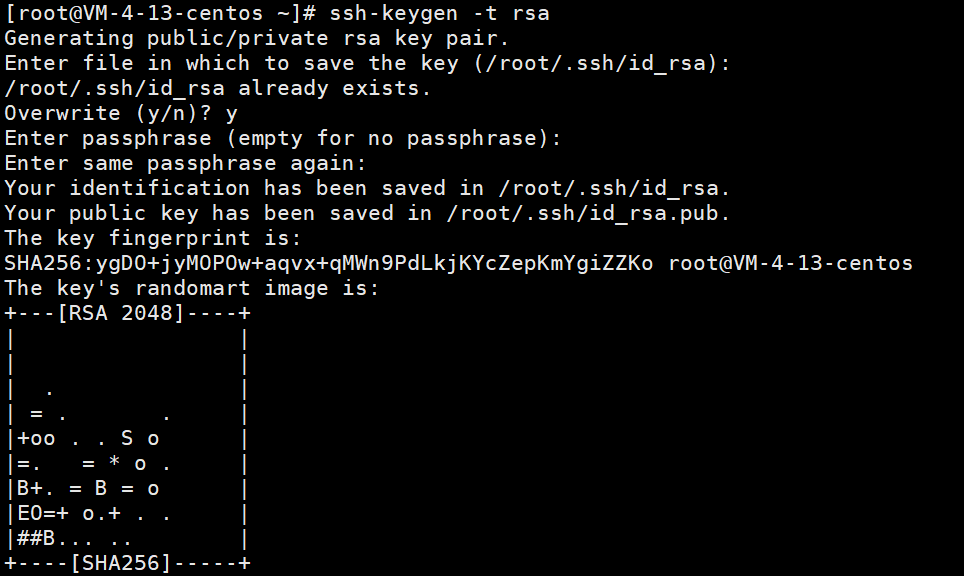
一路回车即可第一个是存放路径 回车使用默认
第二个第三个是密码 不使用回车就可以了
cd /root/.ssh/
id_rsa是你的私key你需要保存到你的电脑,需要妥善保管!!!!
# 2.保存私key到电脑设置免密码登录
cat /root/.ssh/id_rsa.pub >> /root/.ssh/authorized_keys
1
# 3.修改ssh的配置文件自己主要备份sshd_config
vi /etc/ssh/sshd_config
1
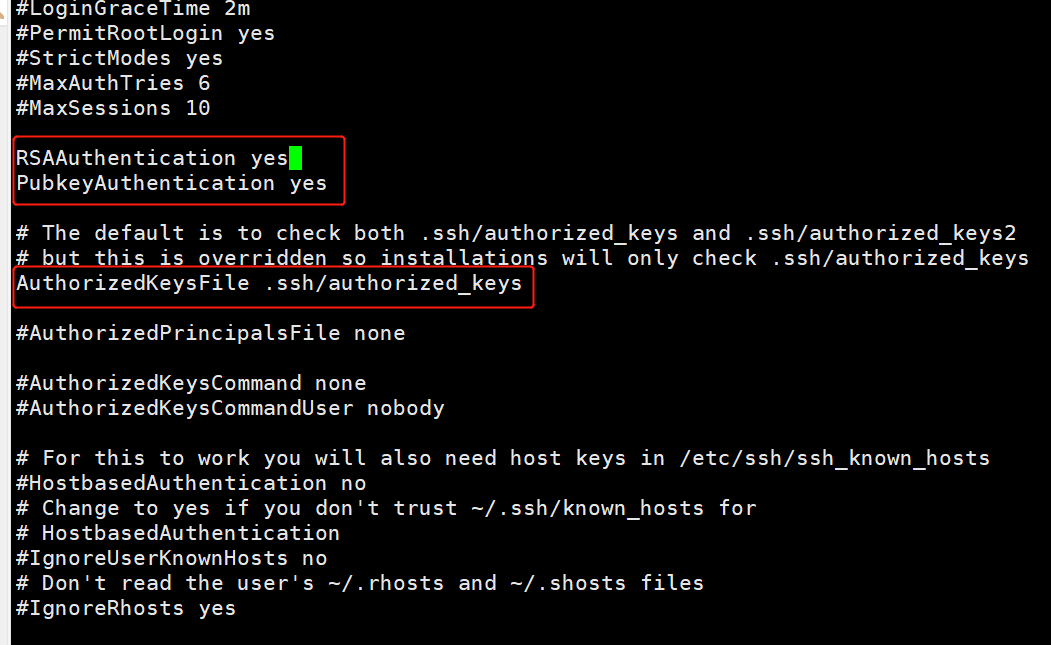
去掉下面的#
RSAAuthentication yes
PubkeyAuthentication yes
AuthorizedKeysFile .ssh/authorized_keys
# 重启ssh服务
service sshd restart
1
# 4.禁止密码登录
vi /etc/ssh/sshd_config
1
找到PasswordAuthentication yes 修改成为PasswordAuthentication no
重启ssh服务
# 5.生成git专用ssh密钥
生成key(避免覆盖原来的key)
ssh-keygen -t rsa -f /root/.ssh/id_rsa.git
1
# 添加到配置文件
echo -e "Host gitee.com \n\
	HostName gitee.com \n\
	IdentityFile ~/.ssh/id_rsa.git \n\
	User root" \
 >> /root/.ssh/config
1
2
3
4
5
2
3
4
5
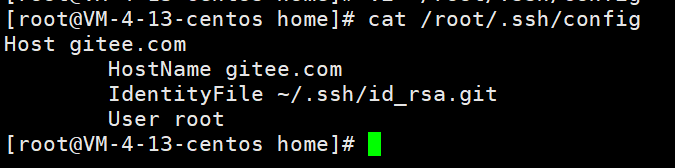
Host 是需要免密登录的域名,不过这里因为是gitee网站,所以这里Host一定要填 gitee.com
IdentityFile 本地私钥的路径,一定要准确
User 如果有多个 github 帐户需要免密登录,则用这一项进行标识(不一定要跟github站点上的用户名一致,有关联性方便标识就行)
重启ssh服务
service sshd restart
1
上次更新: 2023/08/07, 18:08:16